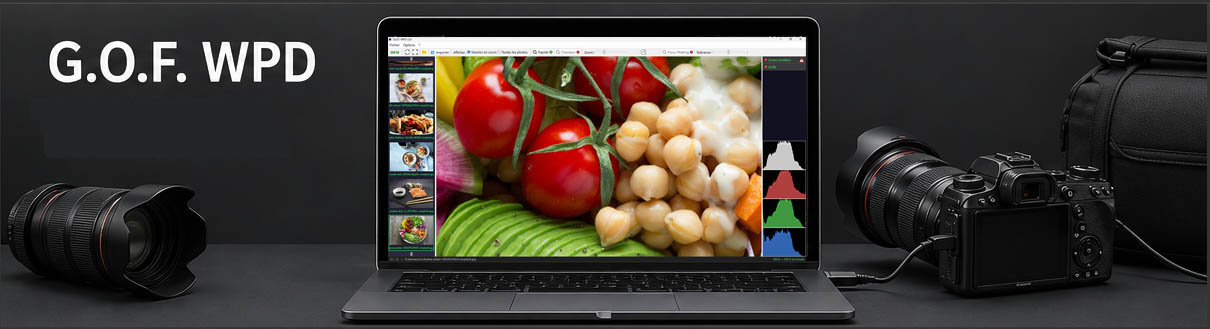
G.O.F. WPD integrates naturally into the photographer's workflow. In the studio, during a portrait, fashion or model shoot, the photographer remains entirely focused on their subjects and lighting — working exactly as they always have, triggering the shutter whenever they choose. Each photo taken appears automatically on the computer screen, allowing the photographer, assistant or client to immediately view the result in large format. The camera is not triggered from the computer.
Main features
G.O.F. WPD is a tethering software developed by a photographer for photographers who want to focus on the essentials.
Connect your camera via USB, launch the software, and your images appear on screen in real time. It is that simple.
G.O.F. WPD automatically detects your camera as soon as it is connected or powered on. No action is required — the software handles the connection and immediately starts monitoring incoming files.
G.O.F. WPD 2.0 supports RAW formats from major manufacturers: NEF and NRW (Nikon), CR2 and CR3 (Canon), ARW (Sony), ORF (Olympus), RW2 (Panasonic). JPEG format is fully supported.
The software is compatible with cameras using the WPD (Windows Portable Devices) protocol for file transfer.
File management & display
The software automatically adapts to what your camera sends, without any configuration. Whether you shoot RAW only, JPEG only or RAW+JPEG simultaneously, G.O.F. WPD detects and handles each case automatically:
G.O.F. WPD introduces in version 2 improved and faster navigation, allowing smooth browsing of images during the working session. The display is enhanced with analysis and shooting assistance tools:
Two magnifier modes are available:
A full-screen mode is also available for total immersion (F11 key).
The software automatically handles EXIF orientation so that your images are always displayed correctly regardless of the camera position during shooting.
Additional information
G.O.F. WPD uses the native Windows Portable Devices (WPD) layer without requiring third-party drivers. Its installation does not create any conflict with other tethering software on the system.
The software is designed to remain discreet: low resource consumption, no interference with your workflow, and no unnecessary notifications.
G.O.F. WPD is available in 26 languages: French, English, German, Spanish, Italian, Portuguese, Dutch, Polish, Swedish, Danish, Finnish, Czech, Romanian, Hungarian, Greek, Bulgarian, Croatian, Slovak, Slovenian, Estonian, Latvian, Lithuanian, Japanese, Korean, Russian and Norwegian. The interface is designed to be immediately intuitive, with a clear toolbar, a permanent connection indicator and an informative status bar.
All preferences — destination folder, language, zoom level — are grouped in a single settings window, accessible with one click from the Options menu.
G.O.F. WPD is free software. It is provided at no cost, with no hidden fees, no subscription, no paid Pro version and no functional limitation. You are free to download, use and share it in accordance with the terms of the license.
System requirements: Windows only (developed and tested on Windows 11 — Windows 10 compatibility not guaranteed). A USB connection between your camera and computer is required — no Internet connection is necessary.